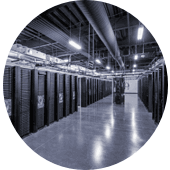
Data Storage on the cloud in over 120 data centers worldwide.

Dedicated Cloud Data Storage

Customizable Dedicated Cloud Data Storage Solutions created with your preferred virtualization technology, type of storage — HDD, SAS, SSD, and NVMe Storage, customizable quotas, RAID protection, etc. Choose among over 120 Cloud Data Storage Service locations worldwide.

Cloud Data Storage Servers

Cloud Data Storage Servers with unmetered bandwidth ports. Save between few thousand and tens of thousands of dollars on data transfer fees with HostColor's Bare Metal Storage Servers. Never pay for the transmitted data per gigabyte (GB) or terabyte (TB) and use unlimited data transfer up to the full physical capacity of the internet connection port. Review Bare Metal Storage plans and check our bare metal server pricing.
Cloud Data Storage Server: 10.48 TB, 64 GB RAM

10.48 TB Storage

10 TB HDD SAS + 480 GB SSD
28 vCores, 1.70 GHz - 2.50 GHz
64 GB RAM
250 Mbps Bandwidth Rate
Location: Multiple Locations
$119/mo*
Configure
Cloud Storage Server: 18.48 TB, 64 GB RAM

18.48 TB Storage

18 TB HDD SAS + 480 GB SSD
24 vCores: 1.50 GHz- 2.50 GHz
64 GB RAM
250 Mbps Bandwidth Rate
Location: Multiple Locations
$139/mo*
Configure
Cloud Storage Server: 42 TB SAS, 64 GB RAM

42 TB Storage

3x 14 TB HDD SAS
28 vCores, 1.70 GHz - 2.50 GHz
64 GB RAM
250 Mbps Bandwidth Rate
Location: Multiple Locations
$199/mo*
Configure
Cloud Storage Server: 3.84 TB, 64 GB

3.84 TB Storage

3.84 TB SSD
28 vCores, 1.70 GHz - 2.50 GHz
64 GB RAM
250 Mbps Bandwidth Rate
Location: Multiple Locations
$169/mo*
Configure
Cloud Storage Server: 7.68 TB, 64 GB RAM

7.68 TB Storage

7.68 TB SSD
28 vCores, 1.70 GHz - 2.50 GHz
64 GB RAM
250 Mbps Bandwidth Rate
Location: Multiple Locations
$159/mo*
Configure
Cloud Storage Server: 7.68 TB, 128 GB

7.68 TB Storage

7.68 TB SSD
28 vCores, 1.70 GHz - 2.50 GHz
128 GB RAM
250 Mbps Bandwidth Rate
Location: Multiple Locations
$179/mo*
Configure
Cloud Storage Server: 15.36 TB, 256 GB

15.36 TB Storage

2x 7.68 TB SSD
36 vCores, 2.10 GHz - 3.30 GHz
256 GB RAM
250 Mbps Bandwidth Rate
Location: Multiple Locations
$249/mo*
Configure
Cloud Storage Server - 48.96 TB, 96 GB

48.96 TB Storage

3x 16 TB SATA + 2x 480 GB SSD
24 vCores, 2.10 GHz - 3.300 GHz
96 GB RAM
250 Mbps Bandwidth Rate
Location: Multiple Locations
$199/mo*
Configure
Cloud Storage Server: 50 TB, 96 GB

50 TB Storage

3x 16 TB SATA + 2x 1 TB NVMe
24 vCores, 2.10 GHz - 3.300 GHz
96 GB RAM
250 Mbps Bandwidth Rate
Location: Multiple Locations
$219/mo*
Configure
* The price is on a 12-month term. To change the term and configure the service, click the button "Configure".

Semi-Managed Cloud Data Storage Servers

All Cloud Data Storage are Semi-Managed. Our administrators will install your Cloud storage server and reinstall the operating system (OS) upon request. They will also help you troubleshoot operating system, networking, and software configuration issues. Customers can choose specific IPv4 and IPv6 network settings and utilize unrestricted bandwidth ranging from 250 Mbps to 10 Gbps. You can install Ubuntu, AlmaLinux, Rocky Linux, Debian, FreeBSD, Fedora, or any other Linux server OS distribution. Windows Server 2019 and Windows Server 2022 editions are also available on the server configuration page. Those who need a graphical user interface (GUI) to manage their server can use - CentOS Web Panel (CWP), Froxlor, Vesta, or another recommended open-source control panel - or choose cPanel or DirectAdmin. For those who want to use a Linux-based Cloud PC, we recommend Peppermint OS, which is based on Debian/Devuan repositories.

Cloud Data Storage - Frequently Asked Questions

What is a Cloud Data Storage Server?
The term "Cloud Data Storage Server" describes a dedicated server which is purposefully designed to backup data and store digital archives. The Cloud Data Storage servers could be either single-tenant Storage servers or virtual environments (VMs or VPS).

The storage server's resources, such as the processor, memory, and data storage arrays, are not shared with other users. The Cloud Data Storage server has its own dedicated internet bandwidth rate, as well as its own IPv4 and IPv6 addresses.

Cloud Data Storage Servers can be configured on demand with an operating system (OS).

Cloud Data Storage servers are secure and private technology environments. They are virtually isolated from the complex IT infrastructure architectures that are built, deployed to deliver cloud infrastructure services to multiple tenants.

When an organization uses a Cloud Data Storage server, the storage hosting provider has no direct access to or control over the server. The configuration and data are considered the user's private property for as long as they have an active subscription. Cloud Data Storage servers can be used on a long-term contract (one year or more) or on a month-to-month, pay-as-you-go basis.
Is my Dedicated Cloud Data Storage Server scalable?
The processing power (vCPU power), Random-access memory (RAM), and storage capacity on the Dedicated Cloud Data Storage server can be scaled up to the physical limits of the processor, RAM, and storage drive capacity of the selected hardware configuration.
Depending on the selected Dedicated Cloud Storage Server system, the vRAM can be upgraded to the maximum amount supported by the underlying infrastructure. For some Dedicated Cloud Storage Servers, storage (HDD, SATA, SAS, SSD, or NVMe) can be upgraded without powering down the virtual server environment.
What is the security level of my Cloud Data Storage Server?
Providers of Cloud Data Storage Servers offer the following levels of security with their cloud data storage hosting services:
1. Physical Environment Security
Physical environment security refers to all physical aspects of the data center facility used to provide Cloud data storage services. This includes the resilience against natural disasters, the physical design of the data center and the way the server rooms and cabinets are organized, as well as power redundancy, Internet network redundancy, and overall business continuity.
2. Network Security
Network security is part of the overall data center communications architecture. It includes the redundancy of fiber connectivity routes and the wide choice of ISPs and interconnection options.
3. Physical Appliance Security
This can also be referred to as "Physical Server Security". It refers to the specific hardware components and configurations of the servers that increase their operational availability. These include the number of power supplies (PSUs) used, the number and capacity of network interface cards (NICs), the number and specification of hard drives used (SATA, SAS, SSD, NVMe, etc.), the use of RAID controllers, the Intelligent Platform Management Interface (IPMI), also called ILO and iDrac by server vendors) for remote network access to the server, etc.
As a provider of Cloud Data Storage servers, HC automatically covers the highest possible industry standards regarding "Physical Environment Security" and "Network Security". The "Physical Appliance Security" is a customizable element of the data storage server, which is a choice of the user of the physical storage server (i.e. the customer).
Most of our dedicated Cloud Data Storage servers include the following "Physical Server Security" by default:
  • Redundant Power Supplies (PSUs)
  • At least 2 x 1 Gbps physical Network Interface Cards (NICs)
  • Intelligent Platform Management Interface (IPMI) and IPMI capabilities, except for the Storage servers, which are shipped with SSH management access only and are not recoverable in the event of an operating system (OS) failure that renders the server inoperable
Do HC's Cloud Data Storage Servers come with a firewall?
The type of firewall depends on the operating system used on your Cloud Storage Server. If your cloud storage server uses a Linux operating system, one of the most popular firewall choices is Iptables.

Iptables is a user-space utility in Linux used to configure and manage the Netfilter firewall. Netfilter itself is a packet filter and firewall implemented in the standard Linux kernel. It allows administrators to control network traffic by defining rules for filtering, translating, and altering packets.

Other popular software firewall choices include Firewalld, IPFire, OPNsense, and pfSense, as well as underlying tools such as Iptables, Nftables, and UFW. IPFire, OPNsense, and pfSense are open-source firewall distributions.

Firewalld is a firewall management tool used by Red Hat Linux operating systems, including AlmaLinux and Rocky Linux. It provides firewall features by acting as a front end for the Linux kernel's Netfilter framework. The current default backend for Firewalld is Nftables.

If your cloud storage server is installed with Ubuntu OS, you can use UFW firewall. One of the UFW's benefits is that it offers a command-line interface and a graphical interface (Gufw) that are much easier to understand and use than directly interacting with Iptables.

The Windows Defender Firewall is the most popular firewall for the Microsoft Windows operating system. Other widely used software firewalls for the Windows OS include ZoneAlarm Free Firewall, GlassWire, TinyWall, and Comodo Firewall. Many other software firewalls are also sold under commercial licenses on a Software-as-a-Service (SaaS) basis.
Is there Cloud Data Storage with Unlimited Bandwidth?
Yes, but since nothing tangible is unlimited, we need to specify what we mean by "unlimited bandwidth". If by "Cloud Data Storage Server with unlimited bandwidth", we mean a storage server with no preset limit quota for the transmitted incoming and outgoing Internet traffic and without charges for overage data transfers, then HostColor offers dedicated cloud storage servers with unlimited bandwidth up to the size of the Internet connection port.
There are two models of delivering network services and internet traffic on the Dedicated Cloud Storage servers - one measured by the allocated "Bandwidth" quota (in Mbps or Gbps), the other measured by the transmitted "Data Transfer" (in megabytes or terabytes).
"Bandwidth" describes the overall data volume (in Mbps or Gbps) that can be transferred usually in a period of 30 days. "Bandwidth" is also a term used to describe the size of the internet connection port - for example, 1 Gbps, 10 Gbps, 20 Gbps, etc.
"Data Transfer" is the monthly amount of data in terabytes (TB), allowed to be transferred over your internet port.
What does Unmetered Bandwidth mean?
"Unmetered Bandwidth" or "Cloud Data Storage server with unmetered bandwidth" means that the hosting infrastructure provider does not measure or limit the bandwidth used by the cloud storage server. For example, in most of its Edge data centers, HostColor allows its customers to use the full capacity of the physical Internet bandwidth port of their Dedicated Cloud Storage Servers.
Is my Cloud Data Storage protected against DDoS attacks?
Denial of Service (DoS) and Distributed Denial of Service (DDoS) attacks typically result in service unavailability and thousands of dollars in data transfer service fees, especially if you host your IT infrastructure with one of the major hyperscale cloud providers.
HostColor's DDoS-protected Dedicated Cloud Data Storage servers minimize the risk of service unavailability and virtually eliminate the risk of you incurring data transfer costs as a result of artificial, bot-generated traffic to your server instances.
When you use our Dedicated Cloud Data Storage services, your applications run behind sophisticated DDoS protection firewalls, maximizing application availability. Our natural, enterprise-grade DDoS networks naturally protect your IT infrastructure from unexpected network downtime, protecting your business from loss and revenue. Our DDoS-protected network services filter out malicious traffic, ensuring that legitimate requests reach your servers and applications. Specifically, our DDoS protection includes the following capabilities:
  • Real-time mitigation of malicious attacks
  • Human-generated traffic that reaches your Dedicated Cloud Data Storage server
  • Native protection against network attacks of any size
  • No additional fees or charges for DoS and DDoS protected Cloud Data Storage servers
  • No fees for bot-generated and malicious traffic on all unmetered Dedicated Cloud Data Storage servers
  • No increased latency and long round-trip delays in application delivery in the event of a network attack
  • All IPv4 and IPv6 settings are protected from DDoS attacks
Is my Edge Cloud Data Storage protected against failure?
Yes! Each Edge Dedicated Cloud Data Storage server hosted in our Edge data centers has four (4x) 25-gigabit network interfaces configured for redundancy on 2 separate NIC cards. All four interfaces are placed into a single link access group (LAG) and utilize LACP (Link Aggregation Control Protocol ) for individual link monitoring. Your Dedicated Cloud Data Storage Server is connected to two network switches with two (2x) 25-gigabit connection links to the first switch and two (2x) 25-gigabit to the second switch. Each network switch has multiple 100-gigabit fiber connections to the data center's network architecture that feature failover protection. The overall networking architecture sustains full data transfer capacity with the failure of any single networking appliance or link. The data transfer from the Edge data centers to either the public Internet or the MPLS IP VPN network is secured by two diverse routers for each network. The routers are connected to a pair of network switches. The data transfer can be forwarded through both routers and will switch over automatically upon failure of any networking device.
Does HC offer Cloud Data Storage Servers with AMD CPU?
Yes, go to our AMD Dedicated Servers to find hardware configurations with various AMD Ryzen and AMD Epyc processors. When you click to order one of the AMD CPU-based Storage server plans, you can select the service location and fully customize the Dedicated Cloud Data Storage Server starting with the edge location, RAM, memory type and capacity, bandwidth port, and data transfer quota.
Does my Cloud Data Storage feature technical support?
All HostColor Dedicated Cloud Storage Servers come with free infrastructure support. We save your money. Unlike major cloud infrastructure providers who charge clients for technical support on unmanaged infrastructure, HostColor never charges you for such support. Our infrastructure technical support includes everything related to network interfaces and the core functionality of the physical components of your server such as CPU, RAM, and storage drives. However, it does not include support for the operating system, any custom configurations created and managed by the client, and the installed software applications. With our free infrastructure support, you can save money and get the technical assistance you need for your server's core components.
How to protect my data from natural disasters?
To protect your data from any type of natural disaster, your organization must have two different Bare metal Data Storage servers hosted in two different data centers. The distance between the two datacenter locations must be at least 100 miles (100 km). When selecting dedicated server locations, it is important to consider the risk of natural disasters for each geographic region.
Once two or more Cloud Data Storage servers are in place in two different data centers, the servers must be interconnected and the applications and data must be either backed up or mirrored. In the event of failure of the primary Storage server, operations are switched to the redundant server according to a specific readiness level scenario and procedure. The latter depends on the chosen disaster recovery and business continuity model.
Can I use Cloud Data Storage for DR purposes?
Yes, Disaster Recovery (DR), refers to the ability to preserve data and resume technology operations after an interruption caused by an outage, data loss, or failure of the main IT infrastructure.
Bare Metal Data Storage Servers are a convenient way to create and implement a fully customizable and private disaster recovery infrastructure. The leased Dedicated Cloud Data Storage servers have a major advantage over the virtual environments hosted in one of the large hyperscale clouds. The disaster recovery infrastructure deployed on Dedicated Cloud Data Storage servers is managed and governed solely by the organization's internal data retention policies and procedures. This makes the DR infrastructure deployed on Dedicated Cloud Data Storage servers a private technology asset that is 100% controlled by its owner.
Can Cloud Data Storage be used for Business Continuity?
Yes, any organization can use two or more Dedicated Cloud Data Storage dedicated servers to deploy a customized Business Continuity scenario. The term "Business Continuity" describes an active, fully operational Storage cloud hosting infrastructure model that enables an organization to maintain its technology operations and workflow with virtually no interruption in the event of a failure or outage of its primary technology infrastructure.
What is HostColor's Cloud Data Storage SLA?
All HostColor's (HC) Dedicated Cloud Data Storage Servers are delivered under a Semi Managed Service Level Agreement (SLA). "Semi-managed" means that HC's administrators do the following:
  • Install the Dedicated Cloud Data Storage server according to the customer's requested configurations
  • Reinstall the operating system (OS) upon request
  • Configure the network settings on the Dedicated Cloud Data Storage server
  • Help the server owner troubleshoot in case of any operating system, network, or software configuration issues
Where can I have a Cloud Data Storage Server?
HostColor.com delivers Dedicated Cloud Data Storage Servers from over 120 data centers worldwide. In the U.S. alone, we use 50+ edge data centers. Some of the most used US data centers by our clients are:
  • CoreSite VA1: 12100 Sunrise Valley Dr, Reston, VA 20191, USA)
  • Cyber WURX: 55 Marietta Street 16th Floor, Atlanta, GA, 30303
  • 365 Data Centers: 427 S La Salle Street, Chicago, IL, 60605
  • CoreSite CH2: 1432 S Clinton St, Chicago, IL 60607
  • DataBank: 400 S Akard St, Dallas, TX 75202
  • Flexential: 1500 Champa St, Denver, CO, 80202
  • Digital Realty: 12061 North Fwy, Houston, TX 77090
  • DataBank: 624 S Grand Ave, Los Angeles, CA, 90017
  • CoreSite LA 2: 900 N Alameda St, Los Angeles, CA 90012
  • DataBank: 36 NE 2nd St, Miami, FL, 33132
  • Verizon: 250 S Marquette Ave, Minneapolis, MN 55401
  • Telehouse: 7 Teleport Dr, Staten Island, NY 10311
  • DataBank: 165 Halsey St, Newark, NJ, 07102
  • Telehouse: 25 Broadway, New York, NY 10004
  • Coresite NY2: 2 Emerson LnSecaucus, NJ 07094
  • CoreSite SV7: 3020 Coronado, Santa Clara, CA, 95054
  • All Equinix facilities
HostColor also has infrastructure capacity and provides Dedicated Cloud Data Storage Servers virtually in every US state.
What certifications do the data centers used by HC have?
HostColor (HC) provides Dedicated Cloud Data Storage servers from Tier 3 and Tier 4 data center facilities that meet the highest possible standards set by the IT telecommunications industry. The data centers we use have different certifications depending on the country in which they are located. In general, most of our U.S. data centers are ISO 27001, ISO 50001, ISO 9001, ISO 14001, ISO 27001, and SSAE16 SOC I, SOC II, or SOC III certified. All are HIPAA and PCI-DSS compliant. Our data centers in the European Union are also EN 50600 certified.
What are the delivery procedures for a Data Storage server?
Below is an example of HostColor's procedures for the Dedicated Cloud Data Storage Server installation and provisioning process:

Hardware Inspection
1. Perform a visual and physical check to inspect for dust, damage, bent pins, and ensure the proper seating of the random-access memory (RAM), central processing unit (CPU), solid-state drives (SSD), non-volatile memory express (NVMe), hard disk drive (HDD), graphics processing units (GPU), network interface cards (NIC), and cables is ensured.
2. Update the firmware and BIOS/UEFI to ensure the motherboard, RAID controller, and BMC/IPMI use the latest stable firmware versions.
3. Label the server and document the exact hardware configuration, including the CPU model, RAM capacity and type, disk models, NIC speed, GPU, RAID, and PSU rating.
4. Conduct burn-in and stress testing. This includes a RAM test for at least one to two full passes to detect faulty DIMMs and a CPU stress test for several hours to confirm thermal and voltage stability.
5. Perform a disk I/O test to verify the Dedicated Cloud Data Storage server's health and performance.
6. Run a network interface test to verify the NIC's throughput and stability at 1 Gbps, 10 Gbps, or a higher speed, depending on the plan.
7. Perform thermal monitoring and observe CPU/GPU temperatures and fan curves under load to ensure proper cooling.

Storage & RAID Configuration
1. Verify RAID 1, 5, or 10 arrays, or NVMe passthrough, depending on the requested storage configuration and customer specifications.
2. Check the partitions and alignment to ensure proper alignment for SSD performance.
3. Perform SMART health verification to confirm that there are no pre-existing reallocated sectors or pending errors.
4. Perform a benchmark baseline to record IOPS and read/write latency for future reference.

Operating System (OS) Deployment

Linux OS-based Dedicated Cloud DAta Storage Servers:
1. Secure partitioning (LVM or separate /home, /var, and /tmp partitions, if required).
2. Set SSH keys and disable password authentication following industry best practices.
3. Set the time zone, hostname, and locale.
4. Swap configurations based on RAM capacity.
5. Install monitoring agents or baseline packages according to the custom requirements of the Dedicated Cloud Storage Server user.

Microsoft Windows OS-based Dedicated Cloud Storage Servers
1. Install the requested Windows OS from verified ISO or template.
2. Apply all critical Windows updates and drivers.
3. Set an administrator password and enable RDP.
4. Disable any unused services and then enable Windows Defender and the firewall.
5. Configure remote access, IP setup, hostname, and time zone.

Network Configuration & Testing
1. Assign and test the primary and additional IP addresses to ensure they respond to ping and that the reverse DNS records resolve correctly.
2. Verify gateway and routing functionality.
3. Configure VLANs or trunking if part of a multi-tenant environment.
4. Test the bandwidth performance using either an appropriate speed test tool and the provider’s internal test network.
5. Check MAC address registration with the switches in place.
6. Confirm IPv6 functionality, if advertised.

Security & Access Controls
1. Securely generate and store root/administrator credentials in encrypted vaults until delivery.
2. Set firewall rules to the minimum requested level. For example, allow SSH/RDP and block specific protocols.
3. Conduct an SSH/RDP test from an external network to verify accessibility.
4. Disable the default or vendor backdoor accounts.
5. Secure IPMI/BMC access by using a unique password, a non-default port, and a restricted IP whitelist.
5. Apply network and data center-side DDoS or intrusion monitoring wherever requested by the server user.

Quality Assurance & Infrastructure Documentation
1. Run final health diagnostics
2. Log all system details, such as hardware serial numbers, firmware versions, IP assignments, credentials, burn-in test logs, and OS version/build, in the account/product checklist.
3. Verify the functionality of the remote console (IPMI/iDRAC/iLO) and BIOS password protection.

Dedicated Cloud Srorage Server Delivery Details
1. OS login credentials (root/administrator).
2. IP information - IPv4 & IPv6.
3. Access to the BMC/IPMI or remote KVM console.
4. RAID and storage description.
5. Test results summary or benchmark report

On Demand
1. OS image snapshot or recovery ISO.
2. Reinstallation instructions or self-service dashboard access.
3. Support contact details and server Level Agreement (SLA) documentation
4. Enable 24/7 hardware monitoring through IPMI sensors or external probes.
5. Record baseline CPU, RAM, and disk utilization.
6. Monitor NIC throughput and log temperature thresholds.
How long does it take to provision my Dedicated Cloud Data Storage Server?
This depends on the data center location you request and the specific Dedicated Cloud Data Storage server configuration you require. For most of our data center locations, it takes up to 1 hour to install your Storage server and send the login credentials as a welcome email in your account and to the email address registered in your account. More specifically:
  • During business hours (9:00 am - 5:00 pm local time) 30 minutes - 2 hours server delivery time
  • Outside the business hours (5:00 pm - 9:00 am local time): 2 hours - 9 hours server delivery time (with an average delivery time of 4 hours)
  • Weekends: 1 hour - 24 hours server delivery time (with an average delivery time of 8 hours)

The lowest average delivery time applies to Dedicated Cloud Data Storage servers that use a standard Linux operating system (OS) such as Ubuntu, Debian, AlmaLinux, Rocky Linux, or virtualization platforms such as ProxMox or VMware, and the CPU, RAM, and storage disks listed in the server plan, as well as the default IPv4 and IPv4 IP address settings.
Which Linux OS can I use on my Cloud Data Storage Server?
Most HC's Dedicated Cloud Data Storage Servers can use any Linux OS distribution or a Windows OS. You can also install Proxmox VE, VMware ESXi, Linux Containers, or any other virtualization platform.
If you decide to use a Dedicated Cloud Data Storage Server with Unrestricted Data Transfer, hosted in any of our Edge data centers, you can choose between our "officially supported operating systems". They are CentOS 7.9, Ubuntu 22.4, Ubuntu 20.4, Ubuntu 18.4, and RockyLinux 8.6. You can also use virtualization like Kernel-based Virtual Machine (Proxmox VE), VMware ESXi, VirtualBox, OpenVZ, Linux Containers, Kubernetes, and Docker.
How does HC assign IP addresses on my server?
Clients with Dedicated Cloud Data Storage servers that are not hosted in our Edge Data centers are assigned 1 usable IP address and can add more IPs at any time.
Each Dedicated Cloud Data Storage server, hosted in our Edge locations is assigned its own IPv4 subnet that varies from /29 (8 IP addresses) to /24 (256 IPs). The first three IP addresses are used for the networking service of your server as follows: 1st IP address is for the router default gateway; 2nd IP address is reserved for router1; 3rd IP is reserved for router2. The 4th IP address is the main IP of your Storage Server. Any additional IP addresses can be ordered from Accounts.HostColor.com and can be used for various services on your server.
Can I have a /24 IPv4 subnet on my Cloud Data Storage?
Yes, you can. We allow our customers to use up to one /24 IPv4 block (256 public IP addresses) on each Dedicated Cloud Storage server, for compliant use only. Please note that the sending of bulk, unsolicited mail of any kind is not allowed on any of HostColor's networks.
What does a Semi-Managed Cloud Data Storage mean?
While most Dedicated Cloud Data Storage server providers offer 'Unmanaged' or 'Managed' hosting services, HostColor does 'Semi-Managed' and 'Managed' Dedicated Cloud Storage Servers.
'Unmanaged' means that the client is solely responsible for the management of the Dedicated Cloud Storage Server they have. The provider's responsibility is to make sure that the server network connection works properly and in case of a hardware failure, to fix the failed components, or to replace the Dedicated Cloud Storage Server.
'Managed' means that the provider is responsible for managing the network, the bare metal server, the installed operating system, and the software environment. The provider does operating system updates, software updates, and other management and configuration tasks on the bare metal server. In other words 'Unmanaged Storage Servers' does not feature server-side support and therefore the clients pay for the base infrastructure service. The 'Managed Bare Metal Data Storage Servers' feature full server-side infrastructure, OS, and software environment support and therefore are more expensive, as the provider's experts commit time and work hours to deliver technical and system administration.
HostColor fills the gap by offering 'Semi-Managed' Dedicated Cloud Data Storage Servers. 'Semi-Managed' means that our administrators install your preferred OS on the Dedicated Cloud Storage Server or your preferred virtualization platform. We create a custom technology environment per your requirements and keep on record a description with the 'base desired state' of your Dedicated Cloud Storage server. As a part of the 'Semi-Managed' support contract, HostColor reinstalls the server OS per the request and helps the client fix issues and troubleshoot in case of any operating system, networking, or software configuration issues. All 'Semi-Managed' bare-metal servers feature up to 30 minutes per month of technical and system administration. Any time spent by HC experts on managing the server OS, software environments, or troubleshooting is charged per standard HostColor's managed service provider (MSP) rates.
How does HostColor bill my Cloud Data Storage Server?
Once payment is made, the billing month for your Semi-Managed Dedicated Cloud Data Storage Server starts from the moment we send you the login credentials. By default, all Dedicated Cloud Data Storage services are set up on month-to-month contracts for maximum flexibility.
You can choose between month-to-month, 3-month, 6-month, and annual contracts. If you opt for an annual contract, you will receive a lower monthly service fee. However, you will need to prepay the full contract (all 12 service fees). Please note that your Dedicated Cloud Storage Server on a month-to-month contract must be canceled properly and terminated before we stop billing you. All Dedicated Cloud Data Storage Servers require a 30-day cancellation notice. In some cases, we may allow early cancellations. To qualify for an early cancellation, you must submit a cancellation request from your Account 5 business days before the beginning of the new billing cycle.
Is HostColor an experienced and trustworthy provider?
HostColor's core team has been managing servers and IT infrastructures since 2000. As an organization, Host Color LLC has over 20 years of experience in the hosting industry. To illustrate HostColor's experience, consider these two facts: HostColor started hosting content management systems three years before WordPress was launched, and had already been providing virtual server hosting services for seven years when Amazon launched its AWS with the Elastic Compute Cloud (EC2). HostColor's team members have extensive experience with major operating systems, virtualization technologies, Linux, Apache, MySQL, PHP, and hundreds of open-source applications at any stage of their development and business lifecycles. You can rely on HostColor to install and maintain a secure, productive, and cost-effective technology environment on your Dedicated Cloud Storage Server.
Is HostColor among the best Data Storage server providers?
HostColor is considered one of the best Dedicated Cloud Data Storage server providers for several important reasons, all of which are supported by facts and consistent metrics. Additionally, HostColor has an excellent business record spanning 25 years. HC is among the best Cloud Data Storage server providers because of:

- The reliability of its Dedicated Cloud Storage server infrastructure
- The wide choice of service locations
- Free Technical support for the Cloud Data Storage infrastructure
- Delivery of Semi-Managed Dedicated Cloud Data Storage Servers by default (unlike most other providers who mostly provide automated Cloud Data Storage Server hosting service without any form of managed service or extended SLA).

The Semi-Managed Dedicated Cloud Data Storage Server service level agreement (SLA) offers important benefits to users of Storage servers. HostColor administrators provide the following services at no extra cost:
  • Install Dedicated Cloud Data Storage servers according to customers' custom configurations
  • Reinstall operating systems (OS) upon request
  • Configure network settings on the servers
  • Help users troubleshoot operating system, networking, and software configuration issues at no extra cost

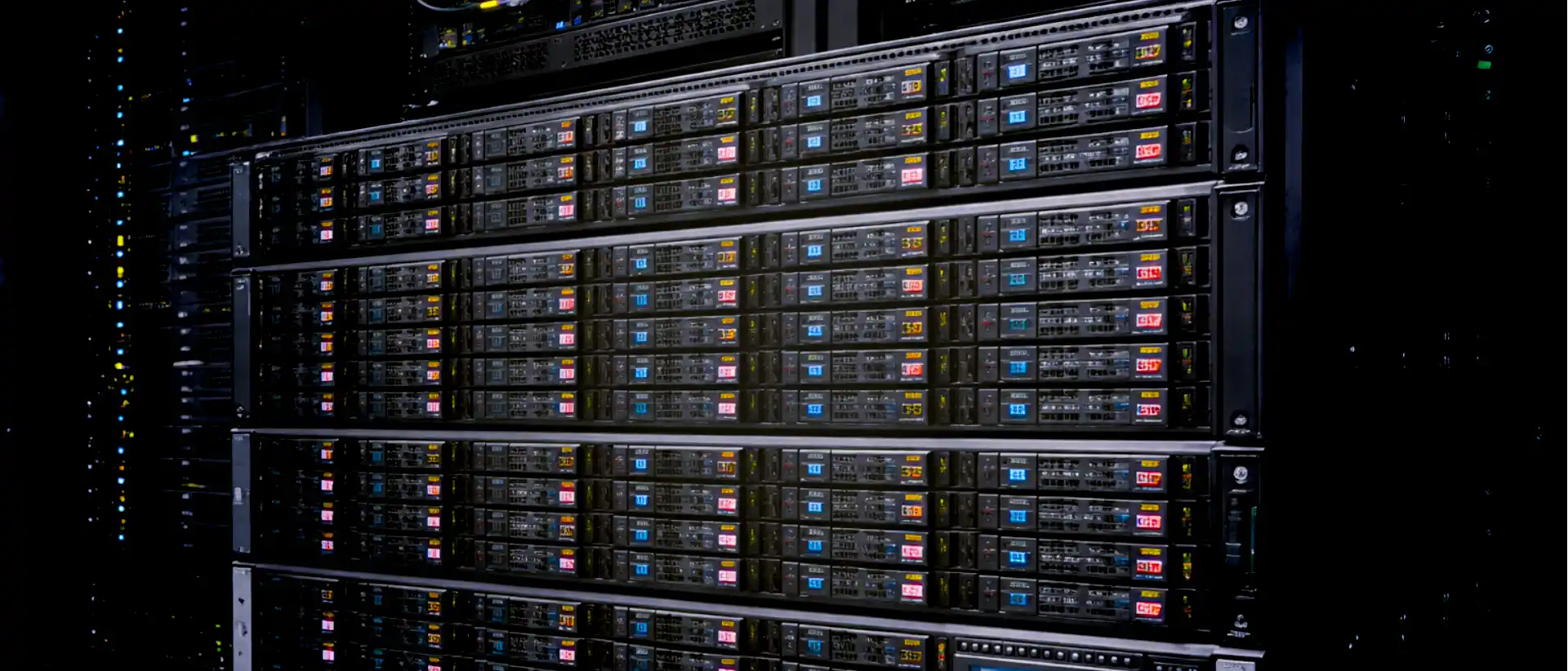
Data Dedicated Cloud Storage Servers That Makes a Difference

We provide Linux and Windows Dedicated Cloud Data Storage services rom over 120 Tier 3 and Tier 4 class data centers worldwide. HC utilizes its own IPv4 & IPv6 networks, and a number of partner NOCs, to provide customers with premium network services in various U.S. and international data centers. We also design on-demand, custom-built private data storage infrastructures based on physical bare-metal servers.
Well Connected internet Network

Well Connected Hosting Networks

Our data storage networks utilize optimized routes to provide the lowest possible Round Trip Delay (RTT) to any point in North America and around the world.
Premium SLA

Data Cloud Storage w/ Premium SLA

Our Service Level Agreement (SLA) guarantees that you use high quality, network. If we fail to fulfill our commitment, we always issue credit to our Dedicated Cloud Data Storage Server clients.
Bandwidth or Data Transfer

Bandwidth or Data Transfer

It is important for you to understand how HostColor's networking service works. Choose a certain bandwidth commitment in Mbps or go for metered data transfer.
Network Performance Analytics

Network Performance & Traffic Analyzer

Do you need to understand your inbound and outbound traffic? We can help you to monitor data transfer usage by: Application, User, Protocol and Location.
Virtualization-ready Managed servers

Major Cloud's Compatible Storage

Have you considered using a specific virtualization technology? We provide dedicated cloud storage solutions compatible with the infrastructure environments offered by the major clouds.
Managed Linux & Windows Dedicated Servers

Managed Linux & Windows Cloud Storage

We have been managing IT Hosting environments for almost two decades. Open Support Ticket to tell us more about your project. We will help you to secure your Dedicated Cloud Data Storage server.

Stability | Connectivity | Commitment

3 good reasons to get a Cloud Data Storage Server from HostColor
Tier 3 & Tier 4 Data Centers

World Class Data Centers

We use Tier 3 & Tier 4 data centers.
Premium Network

Premium Network

Quality, DDoS protected Internet network.
IT Hosting Management

IT Management

Learn more about our Managed Hosting Services.